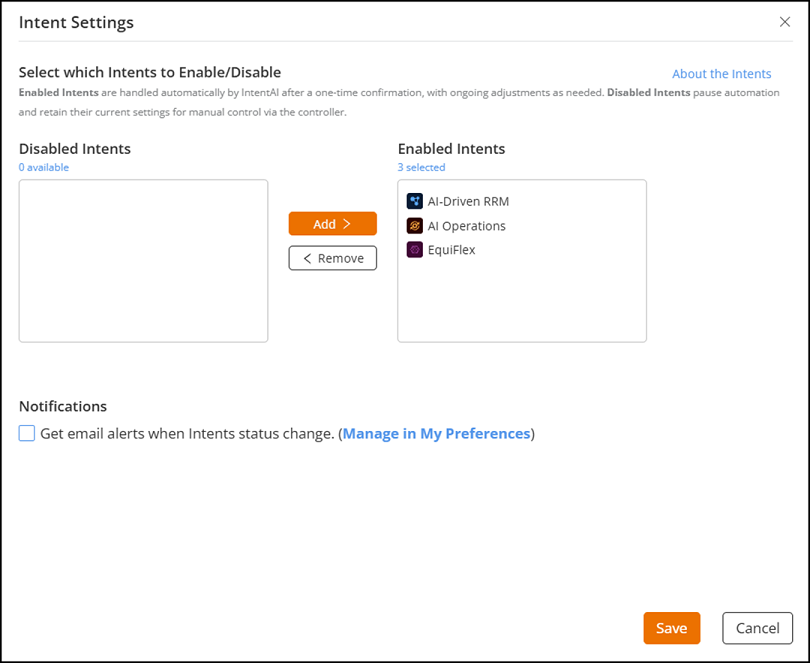
To enable or disable AI-driven features
from IntentAI automation, complete the following steps:
From the navigation bar, select AI Assurance > AI Analytics > IntentAI. The IntentAI page is displayed.
Click Intent
Settings. The Intent Settings sidebar is
displayed.
Intent
Settings
Select the required Intents and
use the Add or Remove buttons to
move it between the Enabled Intents and Disabled
Intents lists.
(Optional) Select the Get email alerts when Intent status
changes checkbox under Notifications to
receive status updates.
You can also manage this setting from the Notifications tab of
the My Profile page.
For quick access, click Manage in My
Preferences to open the My Profile
page. For more information, refer to Configuring Email
Notifications section.