Adding and Managing Tags
You can use the Manage Tags feature to assign, update, or remove tags on one or more configuration templates. Tags help you organize templates and enable efficient filtering and selection across your account.
Note:
- You must have Administrator or Prime Admin permissions to manage tags.
- You can assign up to 10 tags to each configuration template and you can have up to 1,000 tags available in the account.
-
Add a tag by choosing one of the following options:
-
Select an existing tag from the Tags field. As
you type, suggestions appear based on tags already available in the
account.
Manage Tags 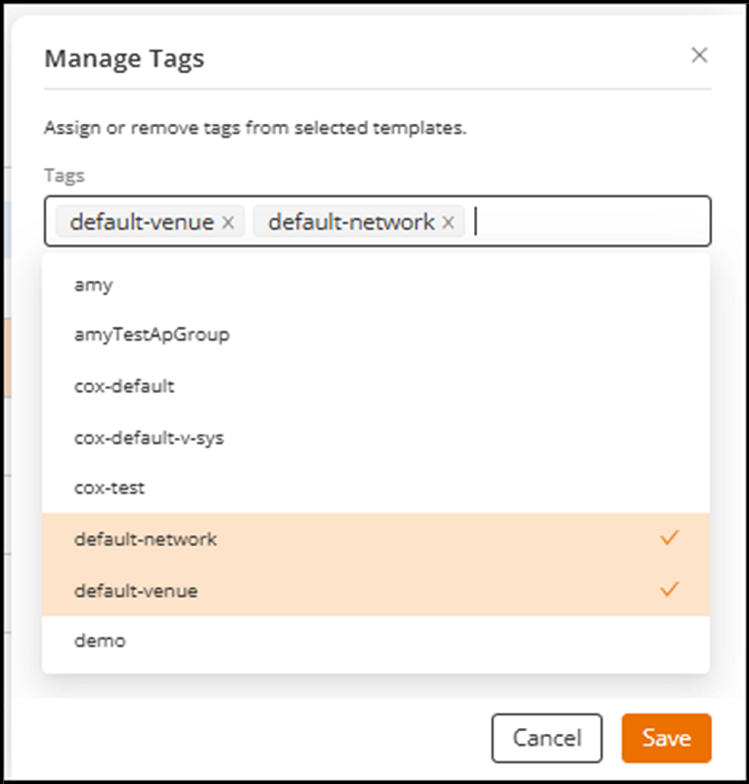
-
Select an existing tag from the Tags field. As
you type, suggestions appear based on tags already available in the
account.
Each tag name is shown as a hyperlink. You can click a tag hyperlink at any time to reopen the Manage Tags sidebar and update the tags.